
Chatbot - AI Smart Assistant
HubXProductivity
4.32.10K Reviews
- Version
- 1.0.35
- Installs
- 5.00M
- Age Rating
- Teen
Screenshots
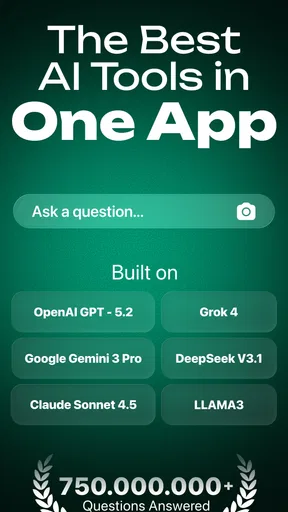
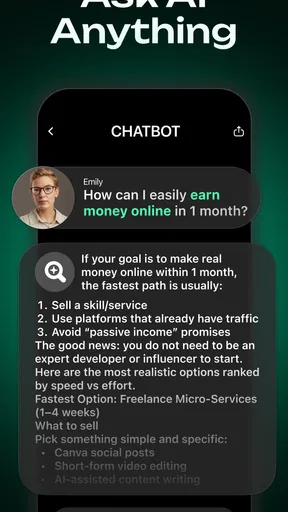
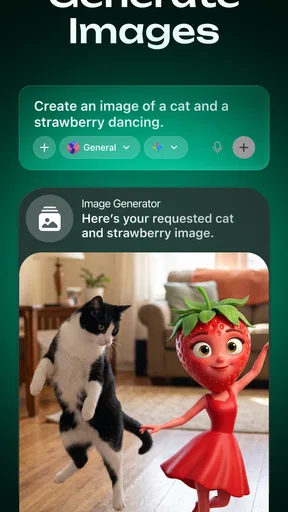
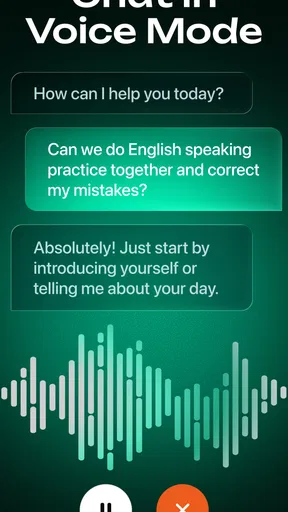
Our Review of Chatbot - AI Smart Assistant
 Analysis by Appyee
Hey there! So, I recently got my hands on this app called Chatbot - AI Smart Assistant, and I have to say, it’s quite a nifty little tool. If you’re like me, always on the hunt for something that can make life a tad easier, then you’ll want to stick around for this review.
Getting Started with Chatbot - AI Smart Assistant
First off, downloading and setting up the app was a breeze. Available for Android and iOS, it popped up easily in the store, and within a few taps, I was ready to roll. The installation process didn’t drag on, and I was greeted with a clean, user-friendly interface.
Once you open the app, it takes you through a quick tour of its features. I appreciated this little walkthrough because sometimes apps can feel like you’ve been thrown into the deep end without a life jacket. Here, it was more like a gentle nudge into a warm pool.
Features that Stand Out
Now, let’s dive into what this app can do. The AI Smart Assistant is designed to help you with a bunch of tasks—think of it as a Swiss Army knife for your phone.
- Natural Language Processing: This is where the app shines. The chatbot understands and responds in a way that feels, dare I say, human. No more feeling like I’m talking to a robot that just doesn’t get it.
- Task Management: You can set reminders, create to-do lists, and even schedule appointments. It’s like having a personal secretary who’s always available.
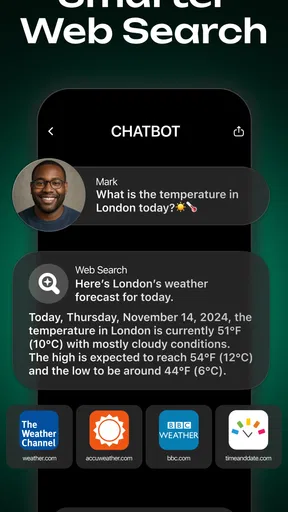
- Information Retrieval: Need to check the weather, find a good restaurant, or get the latest news? Just ask! It’s like having Google at your beck and call, but in a more conversational way.
One thing I found particularly cool was its ability to learn from past interactions. It’s not just a static tool; it adapts and gets better at predicting what you might need. Talk about smart!
Day-to-Day Use
Using the app in my daily routine was surprisingly seamless. Whether I was looking to streamline my morning routine or needed some quick info while on the go, it handled tasks with ease.
For instance, I had it set reminders for some errands, and it was like having a friend who nudges you just in time. Plus, no need to fumble around with endless taps and swipes—it’s all about voice commands here.
Design and Usability
I’ve got to give props to the design team behind this app. It sports a sleek, modern look that’s easy on the eyes. The navigation is intuitive, so you don’t have to waste time figuring out where everything is.
"It’s like they say, simplicity is the ultimate sophistication."
Buttons are well-placed, and the text is readable even if you’re glancing at your phone in a rush. The color scheme is neutral, which adds to the overall calm and welcoming feel of the app.
Where the Chatbot Fits Among AI Tools
The app’s strongest appeal is its conversational approach to getting help. Instead of switching between a calculator, a search page, and a writing tool, I can begin by explaining what I need in ordinary language. That makes it useful when I have a rough question but have not yet worked out the exact terms to search for. It is still worth checking important answers, though: conversational confidence is not the same thing as accuracy.
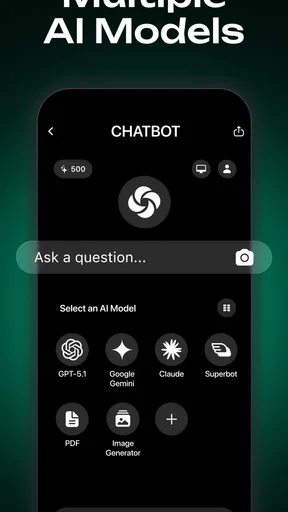
HubX positions this as a productivity app, and that is the most sensible way to think about it. Its store summary points to homework support, math solving, essay writing, and access to GPT-5, Gemini, and more. I would treat those as starting points for work rather than reasons to hand over a whole assignment. For school, that means asking for a worked explanation, then checking each step and writing the final response in my own words.
A More Useful Way to Ask
I get better results when I give the chatbot context, a clear task, and a constraint. Instead of typing “help with math,” I might say what concept is confusing and ask for one step at a time. For writing, I can paste a paragraph and ask for a clearer version while keeping the meaning. This kind of prompt makes the response easier to judge and reduces the temptation to accept a broad answer that sounds polished but misses my actual need.
A practical workflow is to use the first reply as a draft, then follow up with a specific correction: ask it to show the reasoning, define a term, or point out an assumption. I would not assume every answer is right simply because it reads smoothly. In particular, calculations, facts for an essay, and advice that affects a real decision deserve a check against a trusted source or the material from class.
A Realistic Study-and-Work Session
Picture a student reviewing a difficult topic after school. They can ask for a plain-language explanation, request a simple example, and then try a similar problem without looking at the answer. That turns the chatbot into a study partner rather than an answer dispenser. If the explanation is confusing, a follow-up such as “show the next step more slowly” is more useful than starting over with the same broad question.
The same pattern works for a busy day at home or work. I could ask for help shaping a rough email, then check the tone and edit the result before sending it. For errands, a conversational request can help me organize what I need to remember. The key is to keep the final decision with me: the app can help structure a task, but I still need to confirm details and make sure the result fits the situation.
What to Expect from the Free App
The app is free to install, with in-app purchases ranging from $4.99 to $69.99 per item. That makes it easy to try the basic experience before deciding whether it belongs in your routine, but I would look carefully at any purchase screen and consider how often I would use the extra access. Someone who only needs occasional explanations or writing help may not get enough value from paying; a frequent user should compare the cost with their actual pattern of use rather than buying on impulse.
It is rated for Everyone, and it was released on February 16, 2024. The current version is 1.0.33, and it requires Android 7.0 or later. HubX is the developer. The app has a 4.5 average from around 153,000 ratings, with over 5 million installs. Those figures suggest a widely used option, but they do not tell me whether a particular answer will suit my needs, so a short hands-on trial is still the best way to judge it.
Trade-Offs Before You Make It a Habit
Compared with a conventional search engine, a chatbot is better at turning a loosely phrased request into a conversational explanation, but search results make it easier to see and compare sources directly. For a quick definition or a first draft, conversation can feel less fussy. For current details, exact citations, or a decision where evidence matters, I would use a search tool or an authoritative source to verify what the assistant says.
Compared with a dedicated calculator or a focused writing app, the all-in-one approach is convenient but less specialized. A calculator is the safer choice when I need dependable arithmetic, while a document editor is better for long-form drafting and careful revision. This app makes more sense as a flexible helper between those tools, not as a replacement for every one of them.
There is also a practical habit worth building: avoid putting sensitive personal, school, or work information into a chat unless you are comfortable sharing it with an online service. I would describe a situation in general terms and leave out names, account details, and private records. That small adjustment keeps the request useful without making the prompt more personal than necessary.
Who Benefits Most—and Who Should Look Elsewhere
I think the best fit is someone who wants a low-friction way to explore questions, get an initial explanation, or start a piece of writing. Students who use it to understand a topic, people who often need help getting a first draft moving, and anyone who likes asking follow-up questions may find the conversational format more natural than searching through separate tools.
It is less suitable for someone who needs guaranteed factual precision, formal citations, or a specialist workflow. It also may not be worth keeping around if you already have a preferred assistant and only use AI now and then. In those cases, a trusted reference source, a dedicated calculator, or a focused writing tool is likely to be a better match. I would choose based on the task, not on the promise of having one assistant for everything.
Final Thoughts
Overall, the app has been a fantastic addition to my phone. It’s not just another app cluttering up screen space; it genuinely adds value to my day-to-day life.
If you’re looking for an AI assistant that’s more than just bells and whistles, something that actually delivers on its promises, then you might want to give this one a try. It’s like having a little helper in your pocket, ready to make your life just a little bit easier.
So, what are you waiting for? Dive into the world of smart assistance and see how it can transform your daily grind into something a bit more manageable. Trust me, you won’t be disappointed!
Verdict
Strengths of Chatbot - AI Smart Assistant
- User-friendly interface for easy navigation.
- Quick responses to queries and tasks.
- Supports multiple languages seamlessly.
- Customizable settings for personalized use.
- Integrates well with other apps and services.
Limitations of Chatbot - AI Smart Assistant
- Occasional inaccuracies in complex queries.
- Requires internet connection for full functionality.
- Limited free features in basic version.
- Some users report occasional lag.
- May not support all regional dialects.
Other Releases by HubX
View All
Home AI - AI Interior Design
Lifestyle4.3

DaVinci - AI Image Generator
Art & Design3.6

AI Video - AI Video Generator
Photography4.5

MyTunes : AI Music Generator
Entertainment4.3
Similar Picks in This Category
View All
Google Calendar
Google LLC4.6

Google Drive
Google LLC4.3

Google Assistant
Google LLC3.9

Microsoft OneDrive
Microsoft Corporation4.6

Samsung Calendar
Samsung Electronics Co., Ltd.4.1

Microsoft OneNote: Save Notes
Microsoft Corporation4.6
Frequently Asked Questions
What features does the Chatbot - AI Smart Assistant offer?
The Chatbot - AI Smart Assistant offers a wide range of features including natural language processing for seamless conversations, task automation like setting reminders and sending messages, and integration with various apps for a streamlined experience. It also includes learning capabilities to improve interactions over time.
Is the Chatbot - AI Smart Assistant free to use?
The Chatbot - AI Smart Assistant offers a free version with basic functionalities. However, for more advanced features such as customized responses, enhanced integrations, and priority customer support, a premium subscription is available. Pricing details can be found within the app's settings or on the official website.
How does the Chatbot maintain user privacy and data security?
User privacy is a top priority for the Chatbot - AI Smart Assistant. The app uses end-to-end encryption to protect conversations and personal data. Additionally, users have control over their data with options to delete chat history and manage privacy settings directly within the app.
Can the Chatbot - AI Smart Assistant integrate with other apps?
Yes, the Chatbot - AI Smart Assistant can seamlessly integrate with various third-party apps, allowing users to perform tasks such as sending emails, setting calendar events, and controlling smart home devices. Integration helps enhance productivity and connectivity across multiple applications.
Does the Chatbot support multiple languages?
The Chatbot - AI Smart Assistant supports multiple languages, making it accessible to a global audience. Users can select their preferred language within the app settings. The app is continually updated to include more languages, ensuring effective communication for users worldwide.
